
News(page 2)
Rechercher une news Affichage des news 11 à 20 sur 3490 Pages: 1 2 3 4 5 6 7 8 9 10 11 12 13 14 15 16 17 18 19 20 ... 329 330 331 332 333 334 335 336 337 338 339 340 341 342 343 344 345 346 347 348 349 Posté par Attila le le 06/04/18 à 19:31:03 9397 affichages, 0 commentaires  mGBA est un émulateur Game Boy Advance (GBA), fonctionnant sur de multiples plate formes, dont la Wii. Voici la dernière mise à jour en date. Version 0.6.2 Bugfixes: Core: Fix ROM patches not being unloaded when disabled (fixes mgba.io/i/962) 3DS: Fix opening files in directory names with trailing slashes LR35902: Fix watchpoints not reporting new value GB MBC: Fix MBC2 saves (fixes mgba.io/i/954) GB Memory: HDMAs should not start when LCD is off (fixes mgba.io/i/310) GB Memory: Fix OAM DMA blocking regions (fixes mgba.io/i/1013) GB Video: Only trigger STAT write IRQs when screen is on (fixes mgba.io/i/912) GBA: Fix some GBA ROM misdetection (fixes mgba.io/i/978) GBA: Fix SharkPort saves for EEPROM games GBA Audio: Increase PSG volume (fixes mgba.io/i/932) GBA BIOS: Fix incorrect exit condition in LZ77 GBA Cheats: Fix PARv3 slide codes (fixes mgba.io/i/919) GBA Cheats: Fix slide codes not initializing properly GBA DMA: ROM reads are forced to increment GBA Hardware: RTC accuracy improvements GBA I/O: Fix writing to DISPCNT CGB flag (fixes mgba.io/i/902) GBA Memory: Fix copy-on-write memory leak GBA Memory: Partially revert prefetch changes (fixes mgba.io/i/840) GBA Savedata: Fix crash when resizing flash GBA Video: Force align 256-color tiles GBA Video: OBJWIN can change blend params after OBJ is drawn (fixes mgba.io/i/921) PSP2: Fix issues causing poor audio Python: Fix package directory Qt: Fix locale being set to English on settings save (fixes mgba.io/i/906) Qt: Fix opening in fullscreen (fixes mgba.io/i/993) Wii: Fix screen tear when unpausing Wii: Fix various setup and teardown drawing issues (fixes mgba.io/i/988) Misc: 3DS: Scale font based on glyph heights (fixes mgba.io/i/961) GB MBC: Remove erroneous bank 0 wrapping GBA: Improve multiboot image detection PSP2: Use system enter key by default  Télécharger mGBA v0.6.2: Emulateur GBA Télécharger mGBA v0.6.2: Emulateur GBAPosté par Attila le le 22/02/18 à 12:00:20 10167 affichages, 1 commentaires  RetroArch est un émulateur multi plates formes utilisant la libRetro, et permettant ainsi d'avoir le même code pour les versions Wii, Xbox, pc etc, et la libRetro s'occupe de tout ce qui est spécifique à la plate forme. 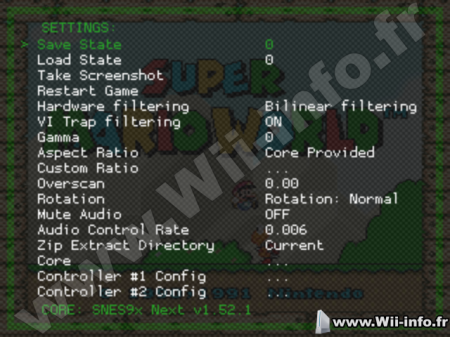 Version 1.7.1 – 3DS: Now correctly reports amount of CPU cores. – 3DS: Frontend rating is now correctly implemented for both New 3DS/2DS and Old 3DS/2DS. – 3DS: Initial networking support, HTTP requests won’t work yet. – 3DS: Now reports memory and battery state. – AUDIO: Added ‘Audio Resampler Quality’ setting to Audio Settings. Setting this higher will increase sound quality at the expense of sound latency and/or performance. Setting this value lower will improve sound latency/performance at the expense of sound quality. Only has an effect if the Sinc resampler is used, and you have to restart the game for changes to take effect. – CHEEVOS: Fix unofficial achievements not being loaded. – CHEEVOS: Show savestate menu entries when no achievements are found even if hardcore mode is enabled. – CHEEVOS: Support Neo Geo Pocket. – COMMON: Bugfix for issue related to ‘Windows mouse pointer visible when running MESS or MAME cores’. – COMMON: Fix bug ‘Last item in a Playlist is ignored’. – COMMON: New LED API. Driver implemented for Raspberry Pi, proof of concept implemented for core MAME 2003. – COMMON: Add quick menu option to watch shader files for changes and recompile them automatically (Linux only for now). – D3D8: Direct3D 8 can now work on systems that have Direct3D 8 installed. – D3D9: Add menu support for MaterialUI/XMB. – D3D10: Initial video driver implementation. – D3D11: Initial video driver implementation. – D3D11: SPIRV-Cross/slang shader support for D3D11. – D3D12: Initial video driver implementation. – DINPUT: don’t reinitialize input driver on network events / media insertion / network drive connection – INPUT: show friendly names when available under input binds and system information – INPUT: show the config name when available under system information – GUI: Allow changing menu font color. – GUI: Menu visibility options for RGUI and MaterialUI. – GUI/MaterialUI: Works now with D3D8, D3D9 Cg, D3D11 and D3D12 drivers. – GUI/XMB: Add Monochrome Inverted icon theme. – GUI/XMB: Allow changing menu scale to 200%. – GUI/XMB: Works now with D3D8, D3D9 Cg, D3D11 and D3D12 drivers. Menu shader effects currently don’t work on D3D8/D3D9 Cg. – HAIKU: Restored port. – KEYMAPPER: prevent a condition that caused input_menu_toggle to stop working when a RETRO_DEVICE_KEYBOARD type device is enabled – GL: ignore hard gpu sync when fast-forwarding – IOS10/11: Handle hardware keyboards and iCade controllers – LOCALIZATION: Update Italian translation. – LOCALIZATION: Update Japanese translation. – LOCALIZATION: Update Portuguese-Brazilian translation. – LOCALIZATION: Update Spanish translation. – NETPLAY: Add menu option to select different MITM (relay) server locations. – OSX: Modify HID buttons detection algorithm. – QB: Added –datarootdir. – QB: Added –bindir and –mandir and deprecated –with-bin_dir and –with-man_dir. – QB: Added –docdir. – SHADERS: Allow saving of shader presets based on the parent directory (Saving one for */foo/bar/mario.sfc* would result in *shaders/presets/corename/bar.ext*). We decided it’s safer to still isolate the presets to a single core because different cores may treat video output differently. – SHADERS: Don’t save the path to the current preset to the main config. This was causing weird behavior, instead it will try to load *currentconfig.ext* and it will save a preset with that name when select *apply shader preset*. The resulting shader will restore properly after restarting and even after core/parent/game specific presets are loaded – SOLARIS: Initial port. – SWITCH: Initial Nintendo Switch port, based on libtransistor SDK. – PS3: Enable Cheevos. – PSP: Enable threading support through pthreads. – SHADERS: SPIRV-Cross/slang shader support for D3D11. – SHIELD ATV: Allow the remote / gamepad takeover hack to work with the 2017 gamepad – SUBSYSTEM: Subsystem saves now respect the save directory – SUBSYSTEM: You can now load subsystem games from the menu (see https://github.com/libretro/RetroArch/pull/6282 for caveats) – VULKAN: Fix swapchain recreation bug on Nvidia GPUs with Windows 10 (resolved in Windows Nvidia driver version 390.77). – WINDOWS: Improved Unicode support (for cores/directory creation and 7zip archives). – WINDOWS: Show progress meter on taskbar for downloads (Windows 7 and up). – WINDOWS: WS_EX_LAYERED drastically decreases performance, so only set it when needed (transparency in windowed mode). – WIIU: Overlay support. – WIIU: Transparency support in menu + overlays. – WIIU: Increased stability during core switching. – WIIU: Shader support. – WIIU: Menu shader effects added (shaders). – WIIU: Add missing time/clock support. (also fixes RTC [Real Time Clock] in Gambatte) – XBOX OG: Restored port. Télécharger RetroArch v1.7.1 : Emulateur Multi Plates formesPosté par Attila le le 27/01/18 à 23:32:08 8353 affichages, 0 commentaires  WoxelCraft est un petit jeu de Voxels 3D, un peu comme Minecraft. Version 0.0.7 Infinite world Savegame using SD Card Various engine changes Version 0.0.6 Fixed broken sprites Version 0.0.5 New stone blocks and trees Version 0.0.4 Texture binding optimization Implemented usage of mipmaps for TPL files 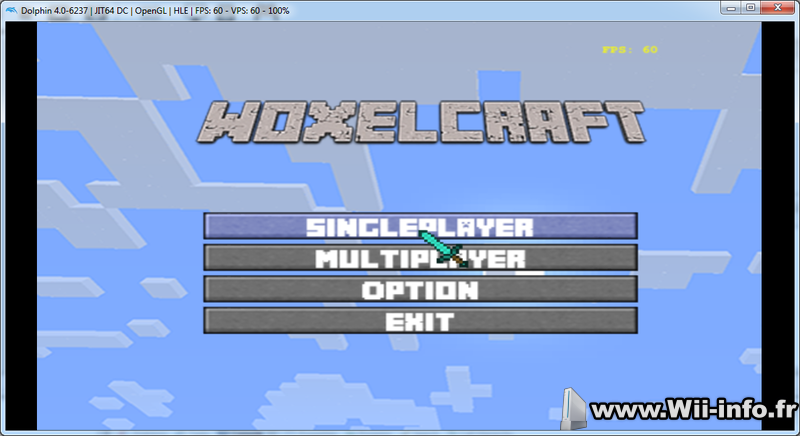 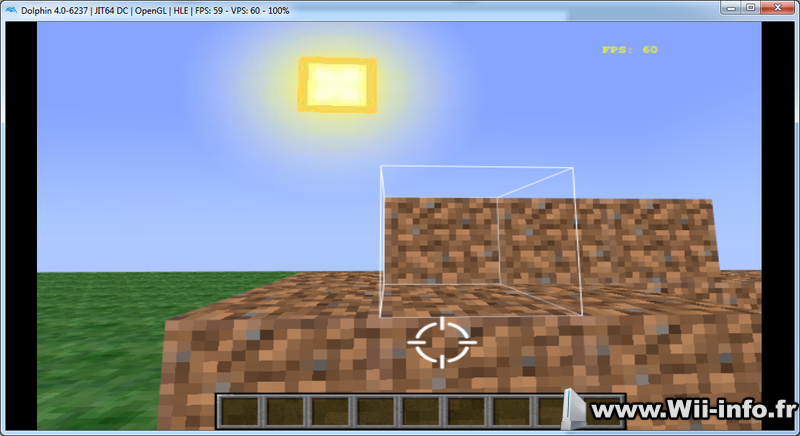 Télécharger WoxelCraft 0.0.7 Télécharger WoxelCraft 0.0.7Posté par Attila le le 19/01/18 à 13:58:54 6716 affichages, 1 commentaires Le homebrew channel à l'envers, ou qui n'aime pas quand vous installer cIOSCorp, qui vous dit de ne pas modifier le hbc, ça vous rappelle des choses ? Marcan vient de publier sur twitter la liste complète et détaillée de toutes les protections en place dans l'installateur ou dans homebrew channel, qui le protège contre la modification. On y trouve de l'exploitation de bug dans le matériel (bug qui n'est pas présent dans dolphin, ce qui fait que ça plante sous dolphin), des adresses mémoire camouflées, ou bien des vérifications de timing, mais bien d'autre, comme l'ajout volontaire d'un bug qui fait planter bien plus tard. Si vous êtes curieux, je vous invite à lire le post complet sur twitter ici https://twitter.com/marcan42/status/954258060230279168  Le HBC à l'envers, c'est ce code Posté par Attila le le 26/12/17 à 15:18:40 6030 affichages, 1 commentaires RetroArch est un émulateur multi plates formes utilisant la libRetro, et permettant ainsi d'avoir le même code pour les versions Wii, Xbox, pc etc, et la libRetro s'occupe de tout ce qui est spécifique à la plate forme. Version 1.7.0 – CHEEVOS: Add badges for achievements, shows thumbnail images of achievements. – CHEEVOS: Leaderboard support. – CHEEVOS: Only disable savestates on hardcore mode if achievements are not available. – COMMANDLINE: Fix fullscreen toggle switch. – COMMON: Add ‘Automatically Load Content To Playlist’ feature, enabled by default. – COMMON: Fix slowmotion ratio always being reset back to 1. – COMMON: Optimized NBIO implementations now for Apple, Windows, and Linux. Uses mmap for Linux/Windows/BSD if/when available. File I/O should now be much faster for loading images inside the menu. – COMMON: Native Blissbox support now for latest firmware as of writing (2.0). Implementation through libusb and/or native Windows HID. – COMMON: New lightgun API. – COMMON: New VFS (Virtual File System) API. – COMMON: Fixed some playlist bugs. – COMMON: New snow shader. – COMMON: Fix Quick Menu title, no longer shows ‘Select File’. – COMMON: Fix loading cores that require no content one after another. – COMMON: Map Delete key to Y button for non-unified menu keyboard controls. – COMMON: Fix for relative paths being normalised and generating a duplicate history entry. – EMSCRIPTEN: Fix references to browserfs. – FREEBSD: Support libusb HID input driver. – HAIKU: Buildfix. – INPUT: Map clear button to DEL key. – LINUX/X11: Add RetroArch logo to window title bar. – LINUX/X11: Input driver now supports new lightgun code. – LINUX/X11: Support window transparency (requires a compositing window manager). – LOBBIES: Fix for crash on join netplay rooms via touch / glui. – LOCALIZATION: Update Italian translation. – LOCALIZATION: Update Japanese translation. – LOCALIZATION: Update Portuguese-Brazilian translation. – LOCALIZATION: Update Polish translation. – LOCALIZATION: Update Russian translation. – MENU: Snowflake menu shader effect. – OSX/PPC: Fix the GL2 renderchain, had to use EXT versions of framebuffer/renderbuffer functions. – PS3: HTTP requests / downloads should now work. – PS3: Core Updater now works. – PS3: Improved font rendering, enable STB Unicode font renderer. – PSP: Make it work with Vita’s Adrenaline. – PSP: Fix audio sync. – PSP: Fix content loading, port should be functional again. – PSP: Use 64MB when available. – SCANNER: Fix crash from Windows-incompatible format string. – VITA: Improve packaging, installation times. – WIIU: Disabled the controller patcher for now since it was the source of many stability issues. – VULKAN: Various stability fixes for WSI. – WINDOWS: Add MSVC 2017 solution. – WINDOWS: Get rid of the empty console window in MSVC 2010 builds. – WINDOWS: Raw input driver now supports new lightgun code. – WINDOWS: Use configured OSD/text message color on GDI driver. – WINDOWS/XINPUT: Populate XInput VID/PID from DInput so autoconfig doesn’t rely solely on joypad names – WINDOWS/XINPUT: Fix crash that occurs in some situations with Steam running and a Steam Controller plugged in. – WINDOWS: Improve version reporting under System Information. – WINDOWS: Support window transparency. – WINDOWS: Correct usage of GetWindowPlacement per MS docs, fixes game window position on Win95/98. – WINDOWS: Added Visual Studio 2017 support. Télécharger RetroArch v1.7.0 : Emulateur Multi Plates formesPosté par Attila le le 24/12/17 à 17:15:51 5489 affichages, 4 commentaires Helllooooo Joyeux Noel à tous les visiteurs et membres de Wii Info  Posté par Attila le le 19/12/17 à 02:52:57 14446 affichages, 3 commentaires  USB Loader GX est un homebrew qui permet de lancer des backups de jeux Wii stockés sur un disque dur USB ou une clé USB, via une interface agréable affichant les jaquettes de vos jeux. Cet USB Loader est originalement basé sur l'USB Loader 1.1 par Waninkoko. Les backups sur carte SD ne sont pas supportés. TutorielsTout sur Usb Loader GX - Partie 1/2 Tout sur Usb Loader GX - Partie 2/2 Utiliser le port 1 avec Uloader ou Usb Loader GX r1268 * Removed LibWUPC now that Libogc supports WiiU Pro controller internally. r1267 * Set Nintendont as default gamecube mode for new loader install. Forgot the binary file for Libfat... * Added 2 new Nintendont settings (CC Rumble and IPL choices). (Greywolf) Libraries updates: * Updated Libcustomfat to 1.1.1 + Ustealth. (Greywolf, Cyan) Updated the project to compile with newer devkitpro versions. The new packages will be available in the files repository. * Updated devkitpro libraries to DevkitPPC r29-1, libogc 1.8.16 * Updated Libvorbis in devkitpro libogc. (Greywolf) * Updated libfat in devkitpro libogc to 1.1.1 + Ustealth patch * Updated tinyXML to tinyXML2 v4.0.1 (GreyWolf) 1262 * Fixed compiling meta.cpp under linux/mac * Removed Neek2o warning when using SD card on Wii. * Added A button to exit credit page (self_slaughter) Nintendont: * Updated to Config to v7 (self_slaughter) * Added Triforce Arcade mode option (self_slaughter) * Added compatibility for GPT and EBR partition type (v3.400+) * Updated language files: French 1260 * Fixed custom banner download issue introduced in r1259. * Fixed spelling mistake in image download function. * Reverted HTTP to non SSL revision (r1252). * Removed Nintendont internal update feature (requires SSL). * Added batch wad (un)install from a folder. * Changed the wad install menu interface. * Added an option to the wad class to display or hide errors on wad install. * Fixed RemoveDirectory return value. * Added game type and console name in exported game list. (requested) * Updated French language Télécharger USB Loader GX v3.0 rev 1268Posté par Attila le le 22/11/17 à 23:16:29 6015 affichages, 0 commentaires RetroArch est un émulateur multi plates formes utilisant la libRetro, et permettant ainsi d'avoir le même code pour les versions Wii, Xbox, pc etc, et la libRetro s'occupe de tout ce qui est spécifique à la plate forme. Version 1.6.9 – Audio: Fix the Audio DSP picker – CHEEVOS: Add support for Atari Lynx cheevos. – CHEEVOS: Add support for RetroAchievements Leaderboards. – GUI: (MaterialUI) Fix crash that happened on context reset with Vulkan. – GUI: (MaterialUI) Skip querying and drawing items that are not visible; Cache content height and bbox calculation. – GUI: (MaterialUI) Fix entry box highlight calculation. – GUI: (XMB) Skip drawing the fading list when it is already transparent. Optimization. – GUI: (XMB) Comment out visible item calculation in xmb_draw_items(). – GUI: (RGUI) Prevent crashes when using a non-English language reliant on UTF8. – GUI: Add menu option for OSD background color. – GUI: Add menu option for OSD text color. – GUI: Add menu option to remove frame count from OSD. – GUI: Allow wraparound of int/float settings when pressing the left key – INPUT/LIBRETRO: Add support for more mouse buttons (buttons 4/5) – INPUT/LIBRETRO: Add support for analog buttons – INPUT: Always show the controls menu even if descriptors are not set – INPUT: Fix input descriptors not being set on cores that don’t implement the controllers interface – INPUT: Apply descriptors only for the amount of cores the core supports – INPUT: Implement keyboard to gamepad input remapping (limited to one gamepad device for now) – INPUT: Fix absolute mouse move handling on the winraw driver – INPUT: Ignore keyboard input if window is not active on udev driver – INPUT: Sanitize the filenames of autoconfig profiles before saving – LOBBIES: Fix crash on navigating left / right from the lobby menu – LOCALIZATION: Update Dutch translation – LOCALIZATION: Update Italian translation. – LOCALIZATION: Update Japanese translation. – LOCALIZATION: Update Portuguese-Brazilian translation. – LOCALIZATION: Update Russian translation. – LINUX/ARMHF: Set buildbot updater URL to armhf location instead of blank string – LINUX/PI: Broadcom VC4: Add Videocore config option – LINUX/UDEV: Fix – RetroArch reads keyboard input when not focused with the udev input driver. – NETPLAY: Fix disconnection not fully deinitializing Netplay. – NETPLAY: Fix lan rooms when there is more than one room – NETPLAY: Fix lan rooms on systems where all addresses are treated as IPv6 – COMMON: Fix clear/free loop conditionals in playlists. – WINDOWS/GDI: Fix flickering of text. – WINDOWS/GDI: Fix graphics corruption on Windows 98 – WINDOWS/GDI: Allow compiling without DirectInput8 for NT support – WINDOWS/WGL: Try to use wglSwapLayerBuffers instead of SwapBuffers if possible (for more optimal performance). – WINDOWS: Fix menubar text corruption on Japanese locale systems – WINDOWS: Support Unicode file I/O (can now display CJK characters in file browser for example). – WINDOWS: Support Windows 95, NT3.51, NT4 – WINDOWS: add Makefile.griffin targets for msvc6,2003,2005,2010,2012,2013 – WII: Use custom, embedded libogc SDK. – WIIU: Initial touchscreen support for WiiU gamepad. – WIIU: Add Cheevos support. – SCANNER: Fix archive scanning. – SCANNER: Support CHD files. – SCANNER: Support Gamecube ISO scanning. – SCANNER: Use primary data track of disc images for CRC lookups rather than cue files. This is slower but finds matches more reliably, and is necessary for CHD files to work at all. Update your databases! – SCANNER: Fall back on looking inside archives when matching MAME/FBA content (most recent cores only). If you had difficulty with content being detected before, you may have better luck now. Update your databases and core info! Télécharger RetroArch v1.6.9 : Emulateur Multi Plates formesPosté par Attila le le 17/11/17 à 17:56:31 5933 affichages, 1 commentaires Whitehole v.1.0.1 par Mega-Mario et SunakazeKun est un éditeur de niveau compatible avec Super Mario Galaxy 1 et 2 !! Vous aurez besoin de Java JRE7 pour que cette application fonctionne. Whitehole est compatible Windows et Linux. Normalement il fonctionne aussi sous OSX mais n'est et ne sera pas suivi (pas par l'auteur en tout cas). 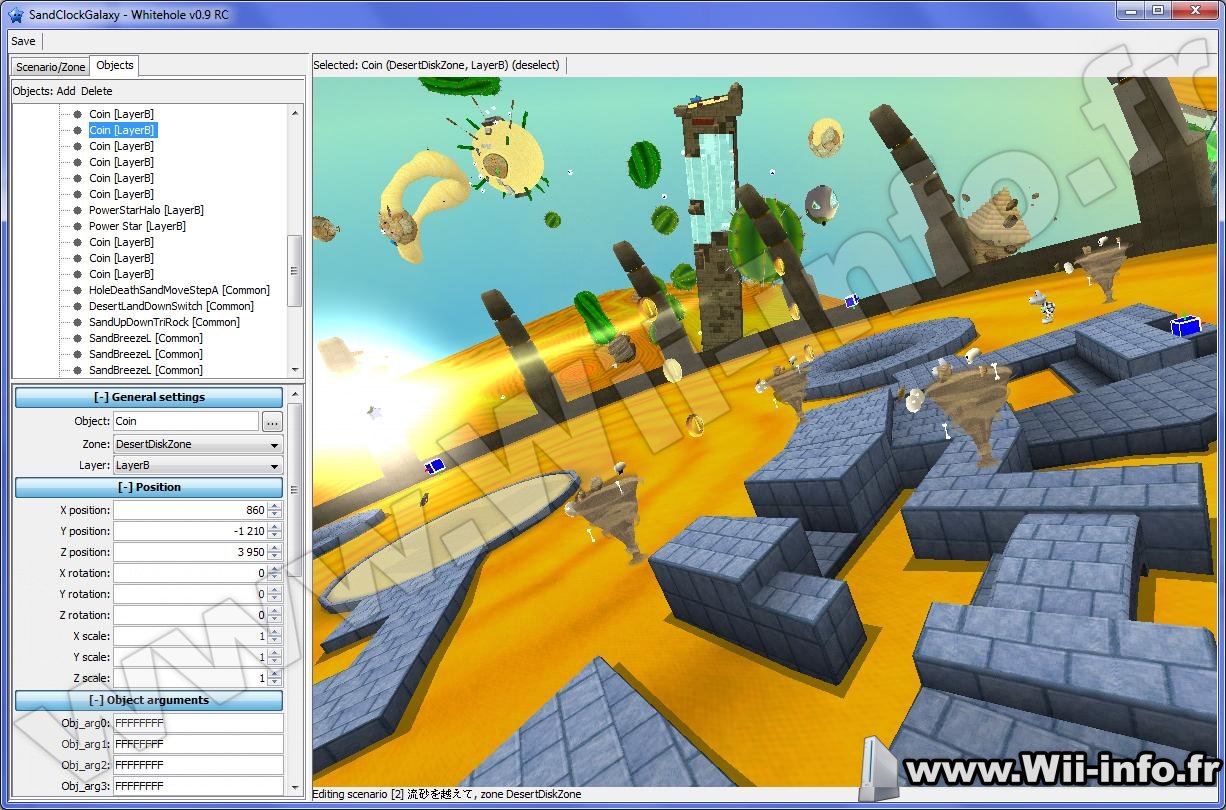 Version 1.4.3 Added: Full support for paths and path points! Added: Multi-renderer, which replaces the old Double and Triple renderers Added: New object rendering (coins, black holes, ...) Added: Gravity rendering Added: Obj_arg descriptions are displayed to show more information about the current object Added: Improved property field names Added: Randomized path colors which replace the previous ones Added: ShapeModelNo editing and rendering has been completely reworked and it doesn't crash the program anymore. Fixed: Area rendering for SMG1 has been specified Fixed: Wrap and filter modes for BMD and BTI renderers weren't properly configured Fixed: Position, rotation and scale copying doesn't work Fixed: Editing cutscenes freezes the program when saved Fixed: Crash if a non-existing model file can't be loaded Misc.: A lot of cleanup, although there's still a lot of shitty code... Télécharger Whitehole v1.4.3: Editeur de niveaux mario galaxyPosté par Attila le le 29/10/17 à 13:56:12 5628 affichages, 2 commentaires  Daco vient de mettre à jour Priiloader, après plusieurs années sans mise à jour... Elle s'intitule "pourquoi vous ne me laissez pas mourir". Pour rappel, preloader/priiloader est un programme qui permet de vous protéger de certains bricks de la Wii en s'installant par dessus le menu système. Version 0.8.2 Added support for open HBC refuse installation on WiiU(vWii) (using a dirty check from Joostin) added option to shutdown to a certain app (WHY WOULD YOU WANT THIS) fixed arguments stuff when booting dol/elf files Added magic word to force autoboot ( 'Abra' ) Télécharger Priiloader 0.8.2Pages: 1 2 3 4 5 6 7 8 9 10 11 12 13 14 15 16 17 18 19 20 ... 329 330 331 332 333 334 335 336 337 338 339 340 341 342 343 344 345 346 347 348 349  Pour votre téléphone, Jailbreak iPhone et Jailbreak iPad. - Hack PS3 - Hacker sa WiiU - Hacker PS Vita - Rage Comics, troll face - Retrouvez chaque jour des image drole sur internet grâce à LOLTube. - Meme Internet |
 1137 (68%)


| 89 connectés (0 membre, 89 anonymes) | © 2007-2015 Attila |